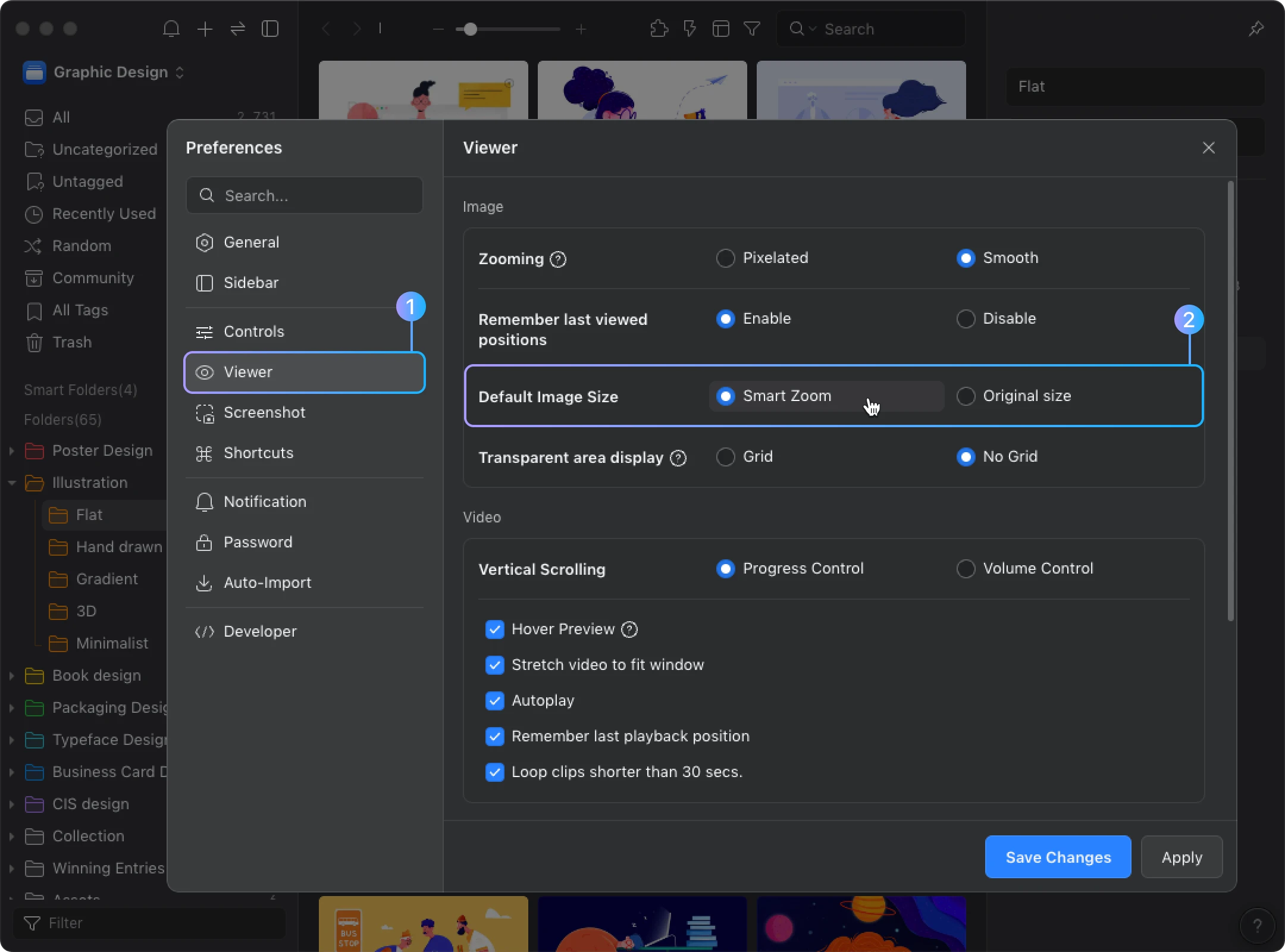
In Eagle, you can set the image display ratio according to personal preference. By default, the system uses "Smart Zoom" to maintain a consistent display size when switching images. If you prefer to switch to "Original Size", please follow these steps:
- Open Eagle's "Preferences" and select "Viewer" on the left.
- Under the "Image" section on the right, find "Default Image Size" and choose either "Smart Zoom" or "Original Size".
- Apply and save the settings.