
Understanding H.265 Video Playback Issues
H.265 (HEVC) encoded video files require significantly more computing power to decode compared to H.264 videos. If you're experiencing stuttering or choppy playback with H.265 videos in Eagle, this may be due to insufficient device performance. Follow these troubleshooting steps to identify and resolve the issue.
Troubleshooting Steps
- Enable GPU Acceleration:
- Go to "Preferences > General"
- Make sure "Enable GPU Acceleration" is turned on
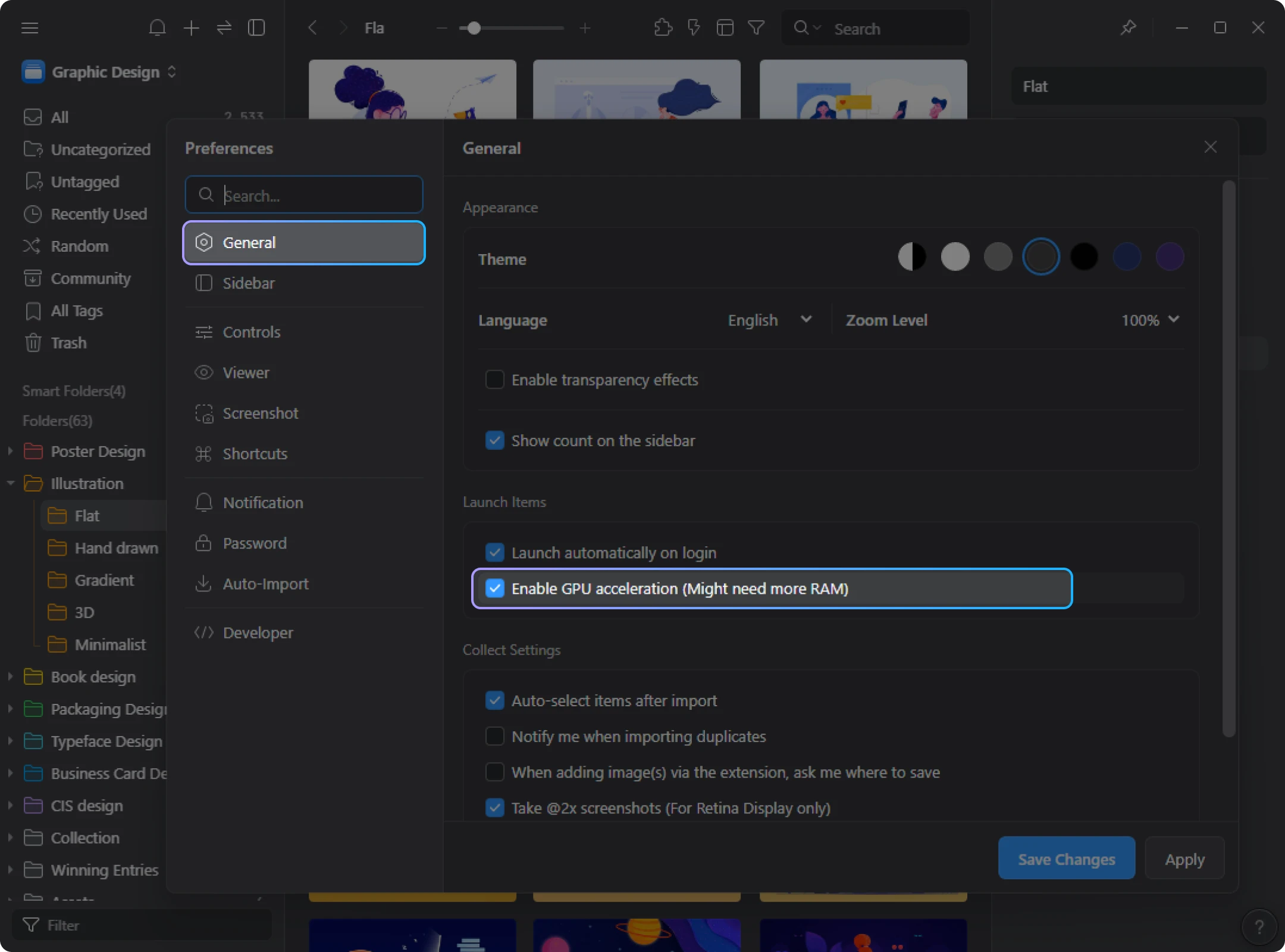
- Try playing the video again to check for improvement
- Note: GPU Acceleration is only available on Windows and Intel-based Mac systems. It is not available on Apple Silicon Macs.
- Test with a Third-Party Player:
- If playback is still not smooth in Eagle, try playing the same video in another player (such as VLC)
- If the video also stutters in other players, this indicates a hardware limitation rather than an Eagle-specific issue
Hardware Considerations
If you confirm that H.265 videos stutter across multiple applications, your device may not meet the minimum hardware requirements for smooth H.265 playback. H.265 decoding typically requires:
- A relatively recent CPU
- A GPU that supports hardware acceleration for HEVC/H.265
- Sufficient system memory
Consider updating your graphics drivers or, if necessary, upgrading your hardware for optimal performance with H.265 content.