
Images with extreme aspect ratios (such as 3000×66 px) may display abnormally or fail to preview properly in Eagle's file list. This is because these images have significantly different width-to-height ratios compared to common images, making it difficult for thumbnails to render normally.
Solutions
If you encounter display issues with images having extreme aspect ratios, we recommend trying the following methods:
-
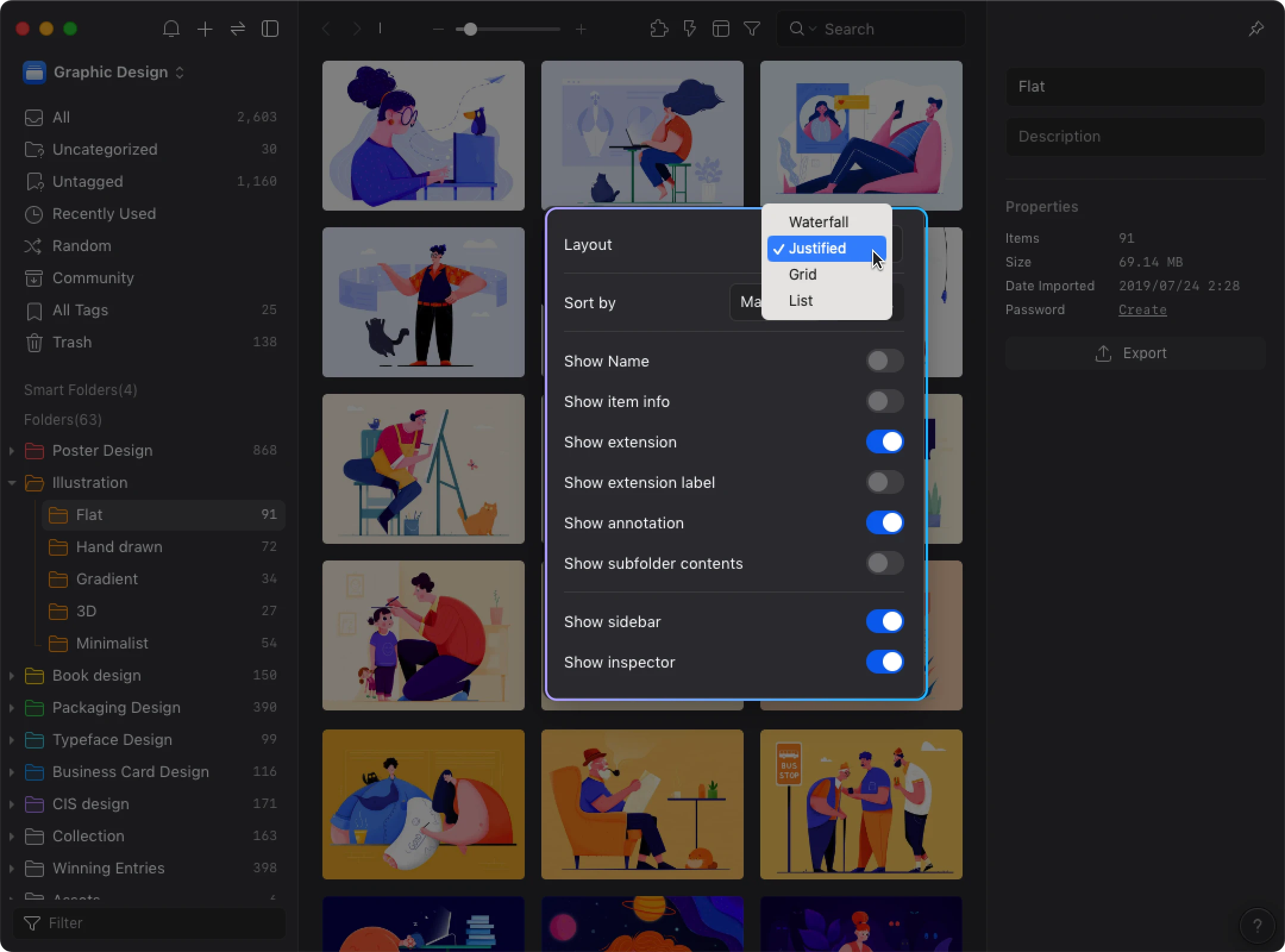
Adjust browsing layout mode:
Switch the layout to "Grid" or "List" mode, as these views are better suited for displaying images with non-standard proportions
-
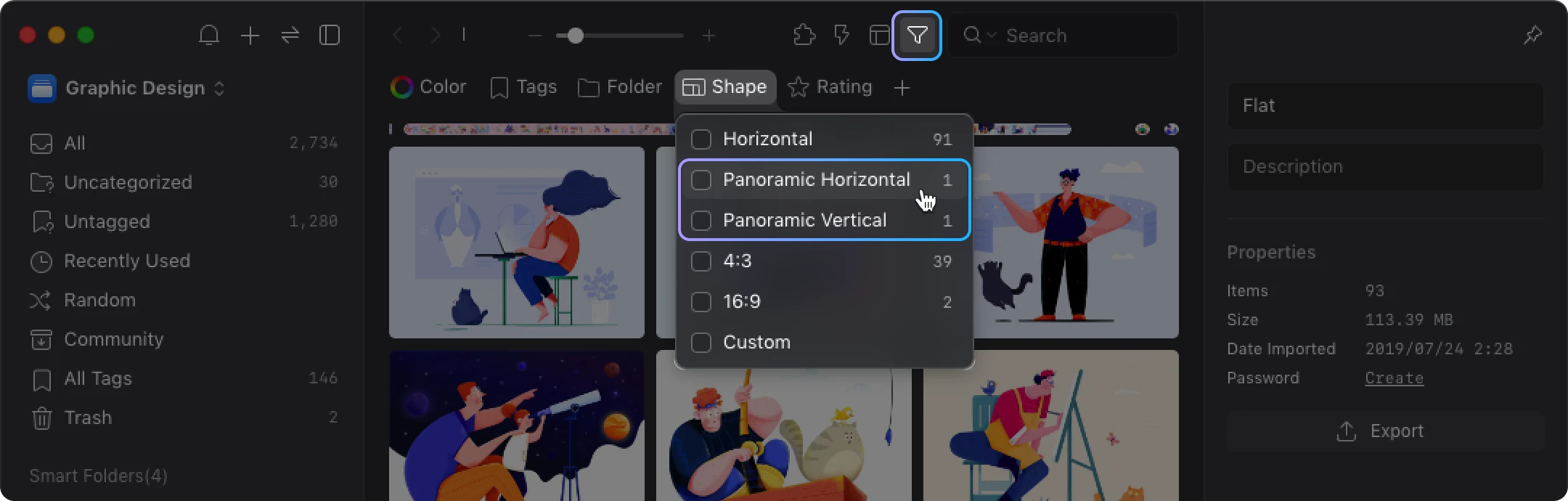
Use filters:
Utilize filter options such as "Size" and "Shape" to more specifically find and manage these special ratio images
Important Notes
- Even after adjusting the layout, images with extreme ratios may still not display perfectly
- This display limitation does not affect the quality and integrity of the images themselves
- When exporting or using these images, the original files remain intact and are not affected by preview display issues