
Is dragging the progress bar not smooth enough when playing videos in Eagle? This article will help you resolve this issue.
Performance Notes
We understand that in some cases, Eagle's built-in player may not perform as smoothly as professional playback tools when dragging the progress bar. Our development team is continuously optimizing product performance to provide a smoother video playback experience in future versions.
Optimization Suggestions
Check Hardware Acceleration Settings (Windows Users)
Please check the software settings to ensure hardware acceleration is enabled:
-
Open Eagle software
-
Go to "Preferences > General" tab
-
Confirm that the "GPU Hardware Acceleration" option is enabled
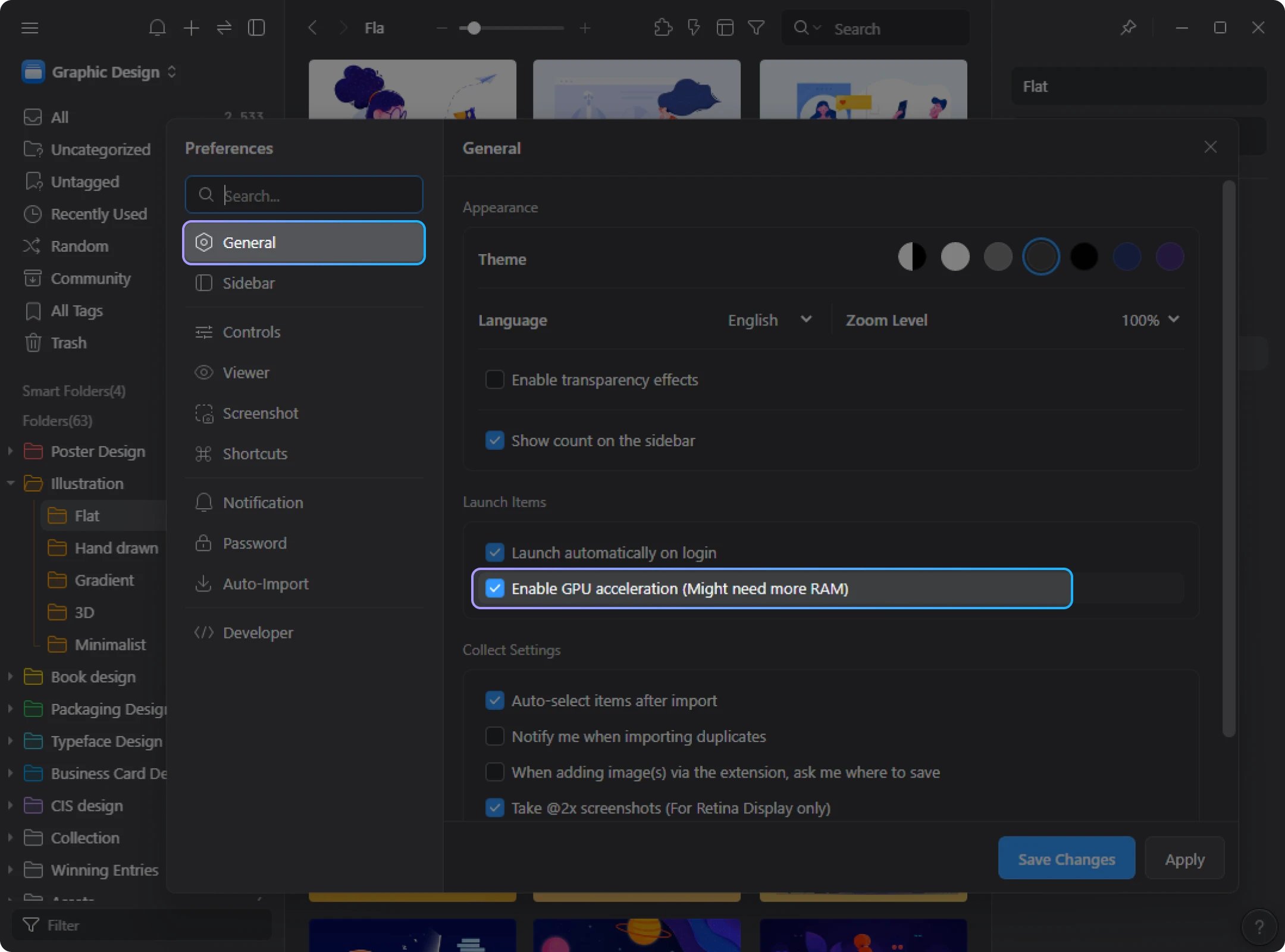 Note: This option is only available for Windows systems and the Intel version of macOS, while the Apple version of macOS does not have this setting.
Try Using External Players
If the problem persists, you can:
- Try using a third-party player (such as VLC) to play the same video
- Compare playback performance to determine whether the issue is caused by Eagle's player or your computer configuration
Through the above methods, you can better diagnose the problem and find a suitable solution.