
We've noticed some users experiencing thumbnail display problems with PSD files and other formats after upgrading to macOS Sequoia (15.0). These issues include missing thumbnails, abnormal displays, or preview failures. We understand this impacts your workflow and apologize for any inconvenience.
Cause of the Issue
Our engineering team has discovered that macOS 15 introduced significant changes to file thumbnail-related APIs. Apple has removed support for the older Quick Look Generator plugin, replacing it with new APIs and extensions. This system-level change has affected Eagle's ability to properly generate thumbnails for certain file types.
Solution
We've implemented fixes in our latest release to address these compatibility issues:
- Update Eagle: Install Eagle 4.0 build 4 or later from our official download page
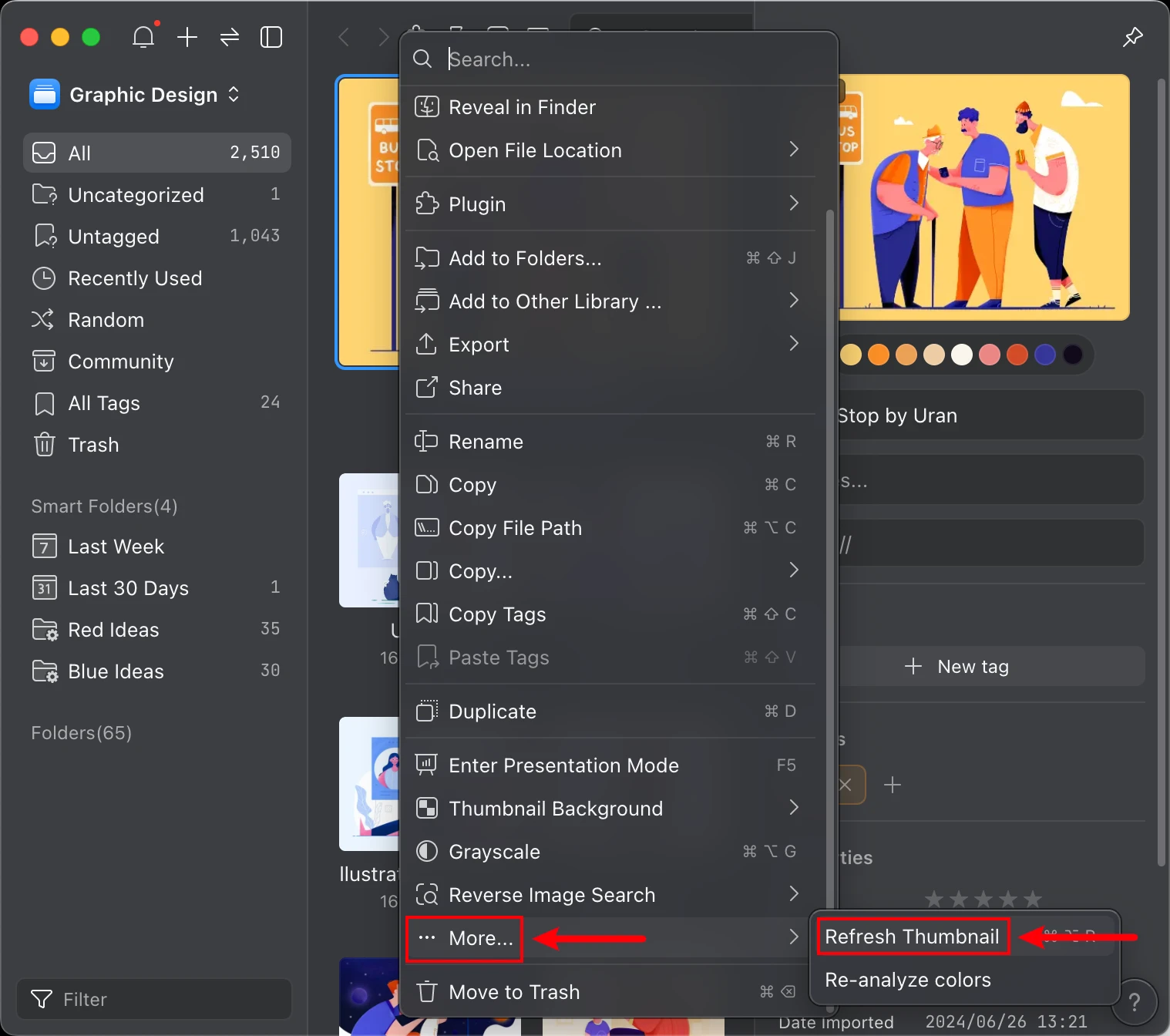
- Refresh affected thumbnails: Right-click on files with abnormal thumbnails → "More" → "Refresh Thumbnail"
Important Notes
- The preview quality when double-clicking files may be reduced compared to previous versions due to our temporary workarounds
- This issue affects many applications beyond Eagle, including Affinity products (Photo, Designer)
- If certain file formats cannot be previewed using the spacebar in Finder, Eagle's preview functionality for those formats may also be affected
- Full preview functionality will be restored as third-party software vendors update their applications for macOS Sequoia compatibility
References
- macOS 15.0 Release Notes - Official documentation on API changes
- Affinity Forum Discussion - Community discussion about similar preview issues
We apologize for this inconvenience and appreciate your patience. We continue to monitor macOS updates and will improve our compatibility as the ecosystem adapts to these changes. Please contact our support team if you need further assistance.