
In Eagle, you can rotate images. Rotation can either affect preview only or be written to the file as a permanent change.
Choose How Rotation Is Saved
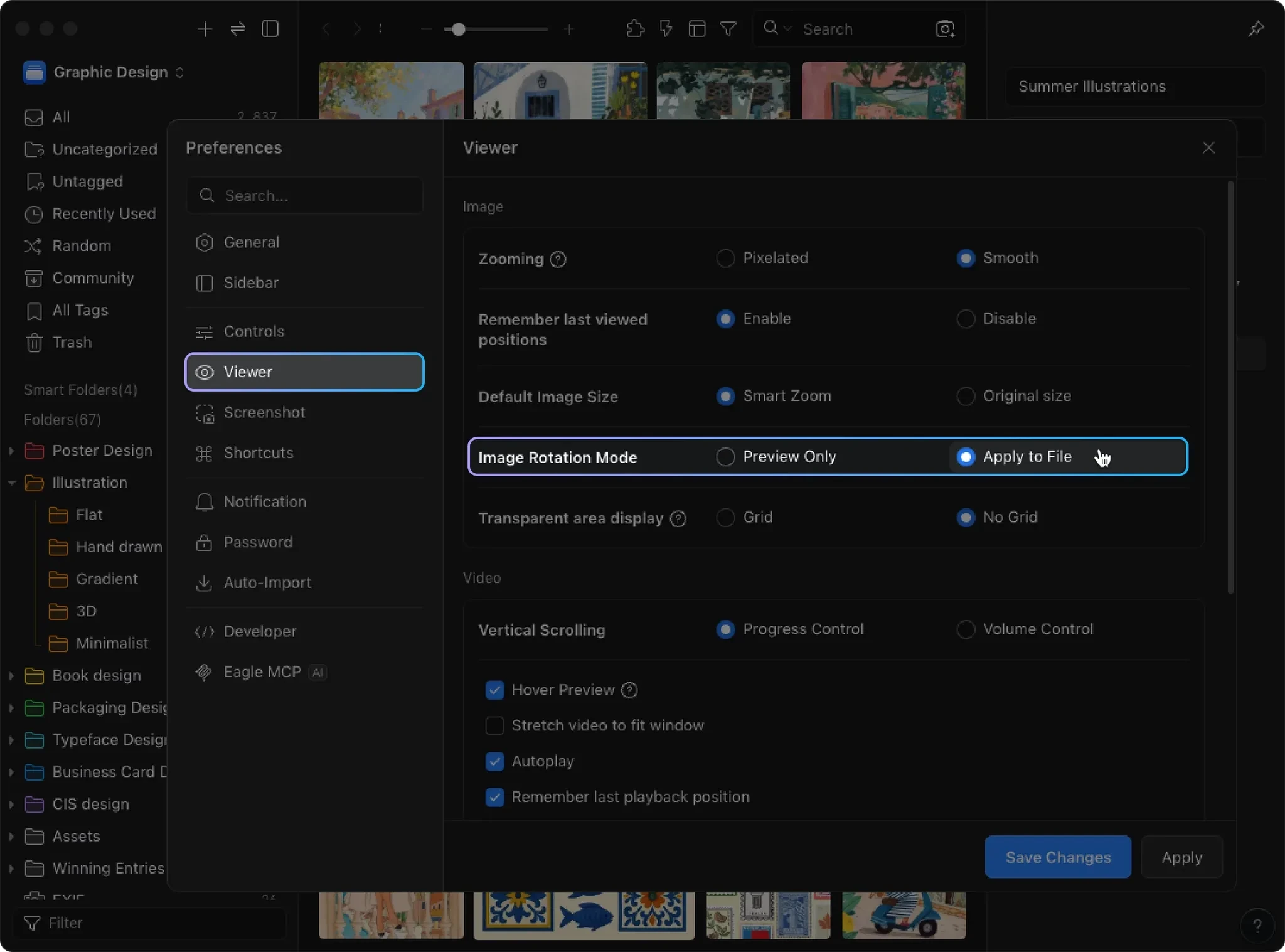
You can configure how rotations are saved in Preferences:
- Open Eagle "Preferences" and select "Viewer" > "Image Rotation Mode".
- Choose based on your needs:
-
Preview Only: Show the rotation only in detail mode, without modifying the original file
-
Apply to File: Permanently save the rotation and modify the original file
-
How to Rotate an Image
Follow these steps to rotate an image:
- Double-click the image to enter detail mode
- Click the "Rotate" button in the toolbar

- Continue clicking the "Rotate" button to keep rotating the image until it reaches your desired angle to complete the rotation.
Supported Image Formats
Currently, Eagle supports rotation for the following formats:
- JPG
- PNG
- BMP
- WEBP (non-animated)
Other formats such as HEIC, GIF, and AVIF are not currently supported for rotation.