
In Eagle, the pin feature allows you to fix important materials at the top of the material list, making it convenient to quickly access frequently used files. This article will introduce how to use this practical feature.
How to Use
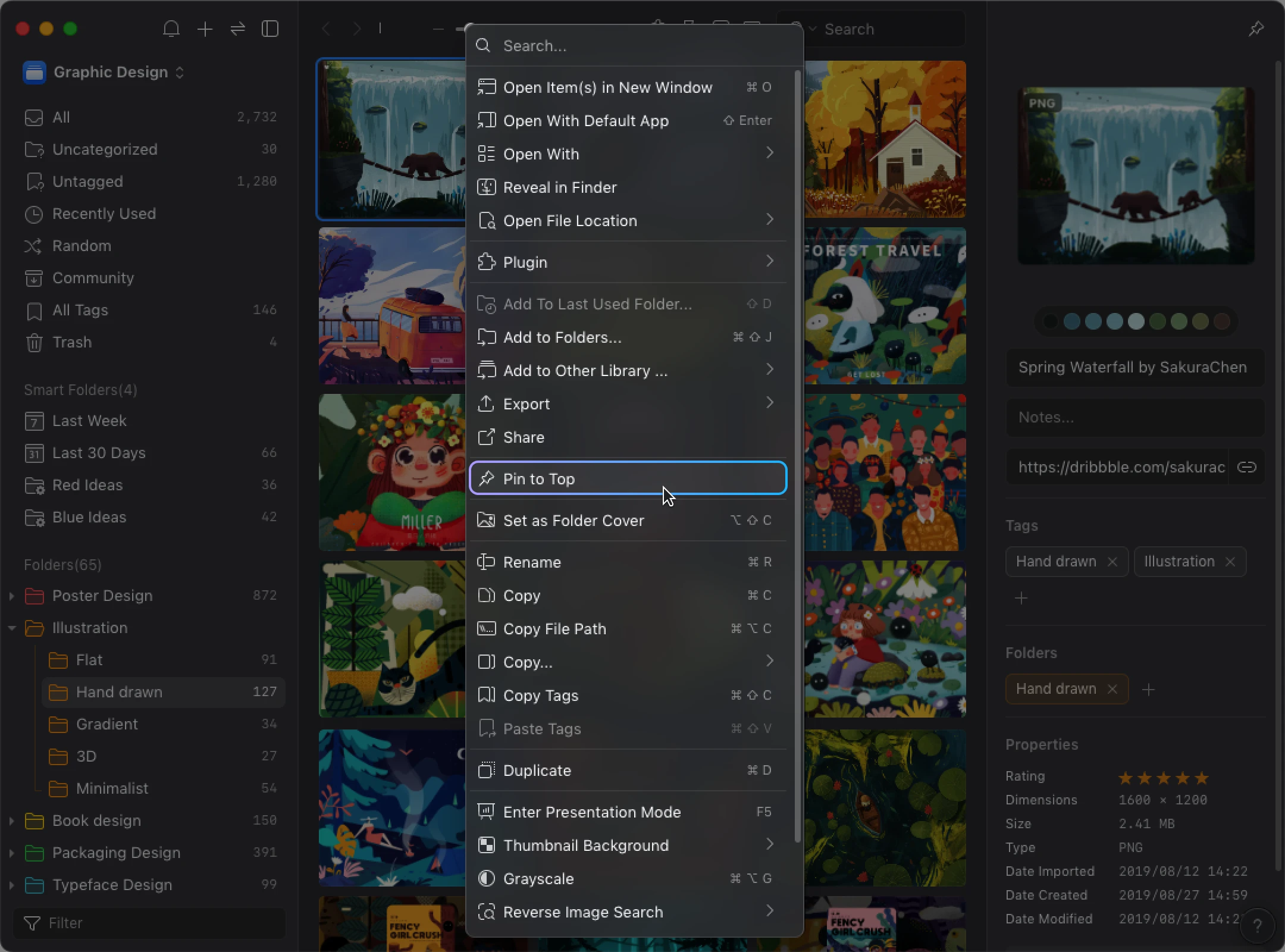
Using Eagle's pin feature is very simple:
- In the material list, select the material you want to pin
- Right-click on the selected material and choose "Pin to top" from the menu
- The selected material will automatically move to the top of the list
Notes
- The pin feature can be used for any type of material
- You can right-click on a pinned material again and select "Unpin from Top" to restore normal sorting
- Pinned materials will remain at the top of the list until you manually unpin them