
When you encounter the "Error: UNKNOWN: unknown error" message while using Eagle software, this is usually related to hard drive issues. If you have ruled out other hardware failures, it's likely caused by bad sectors on the hard drive.
Common causes of bad sectors include: improper ejection of the hard drive, unstable voltage, physical impacts, and other improper usage. Fortunately, the operating system has built-in repair tools that can help diagnose and resolve these issues.
-
Open "File Explorer" and locate your hard drive letter
-
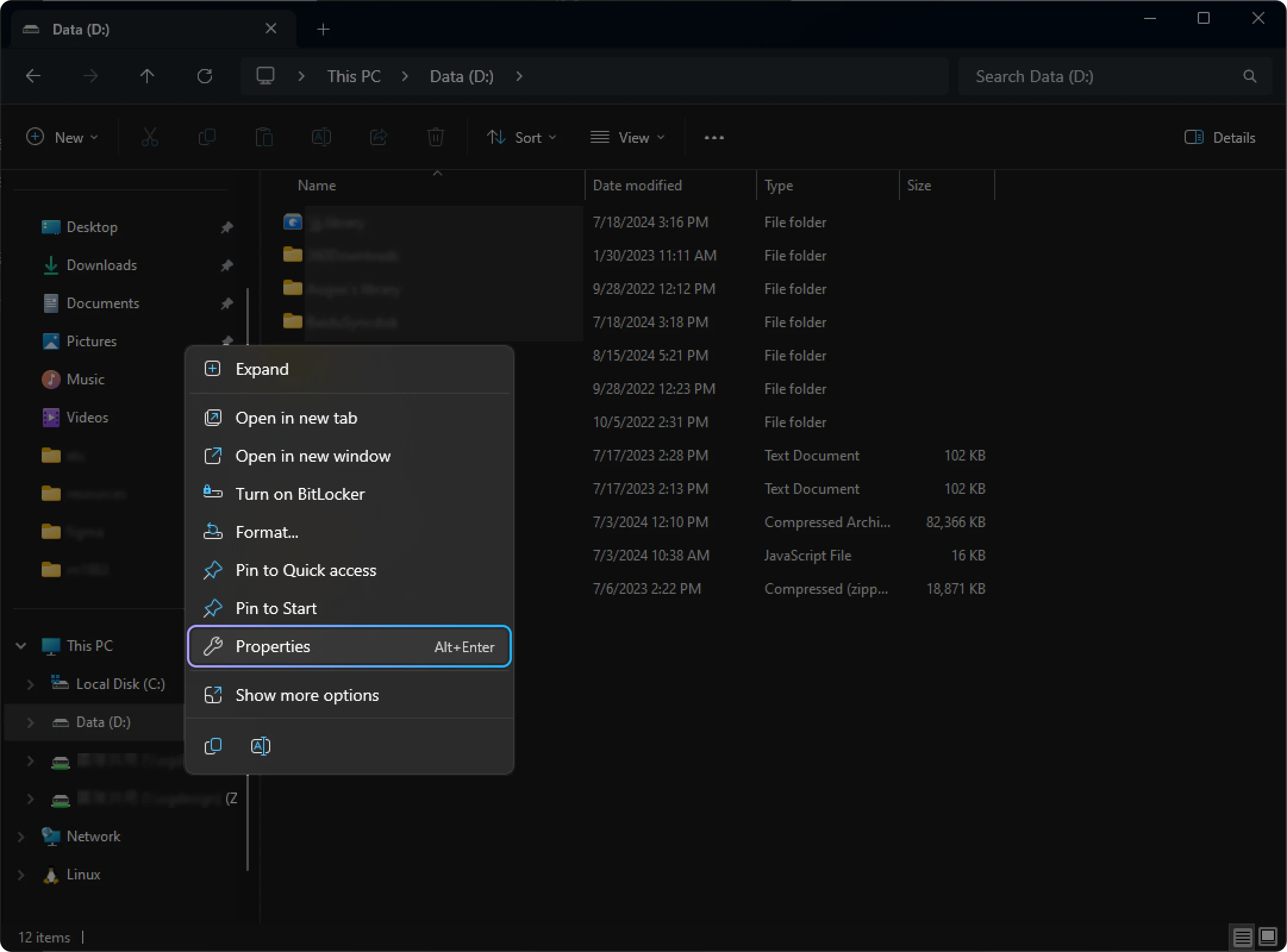
Right-click on the hard drive and select "Properties"
-
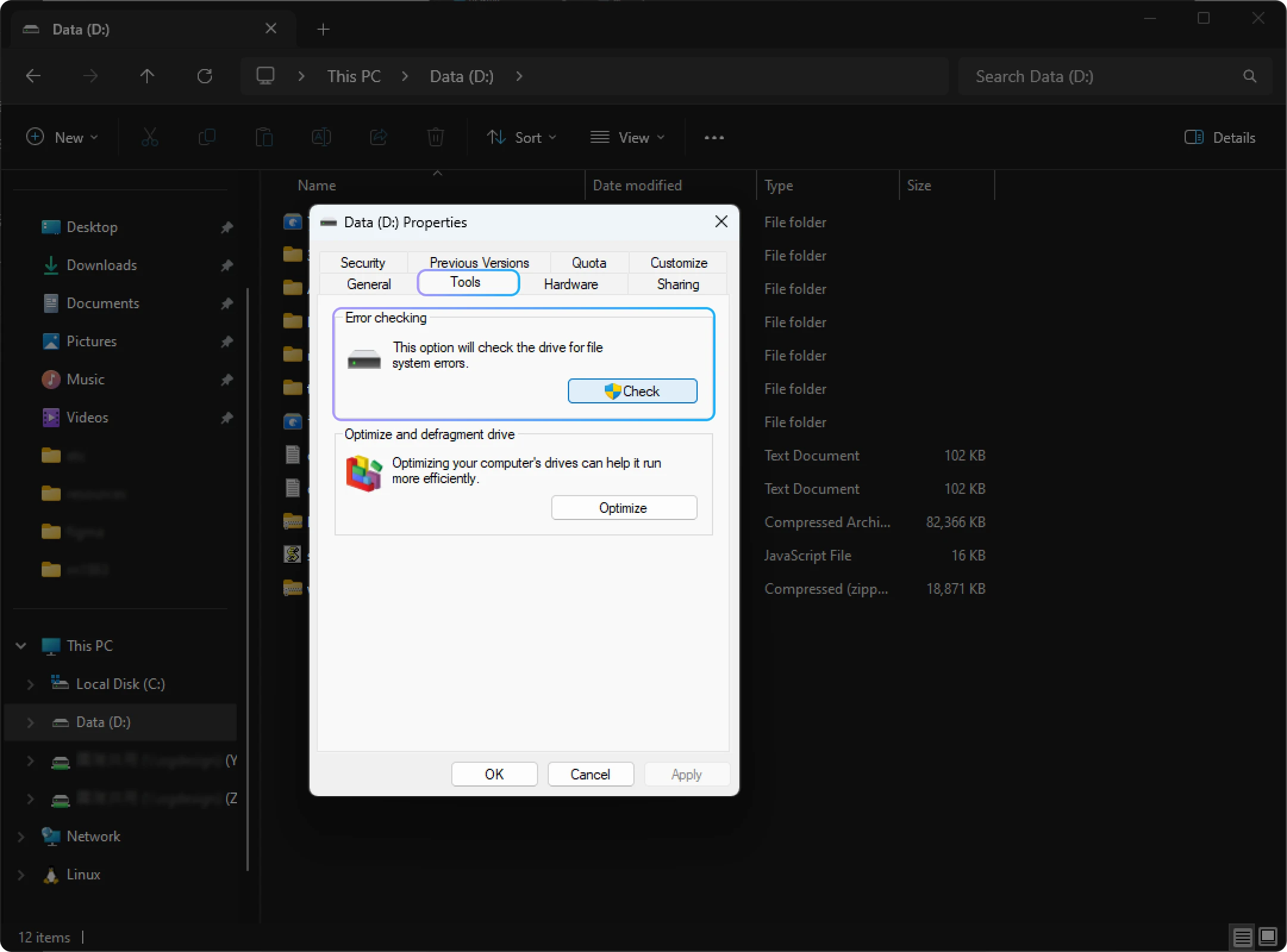
Switch to the "Tools" tab and click the "Check" button in the "Error checking" section
-
Wait for the system to complete the scanning and repair process, then check if the issue has been resolved
Mac users can use the built-in "Disk Utility" for repairs. For detailed instructions, please refer to Apple's official documentation: Repair a storage device in Disk Utility on Mac
Important Notes
- The hard drive checking and repair process may take some time, please be patient
- If the built-in system tools cannot resolve the issue, it's recommended to back up important data and consider replacing the hard drive
- Regularly ejecting the hard drive properly and handling it with care can effectively reduce the risk of hard drive damage