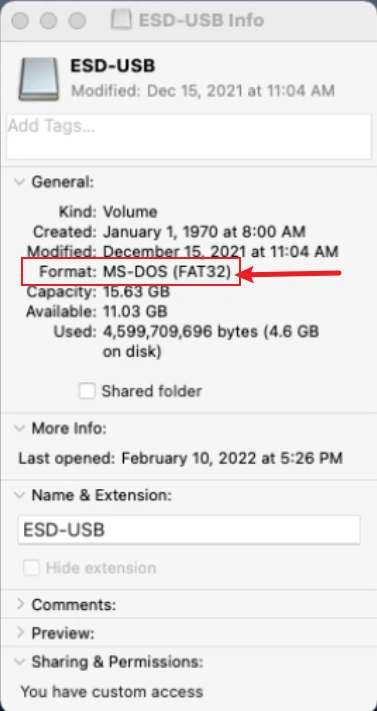
FAT32 is an older file system that has significant limitations on individual file size and the number of files within folders, and its performance is inferior to modern file systems. If you need to store large files or use more advanced features, it is recommended to choose other file systems, such as NTFS for Windows systems, or APFS and HFS+ for macOS systems.
The issue you are currently experiencing may be related to the hard drive format. Please follow the steps below to check if your hard drive is formatted as FAT32.
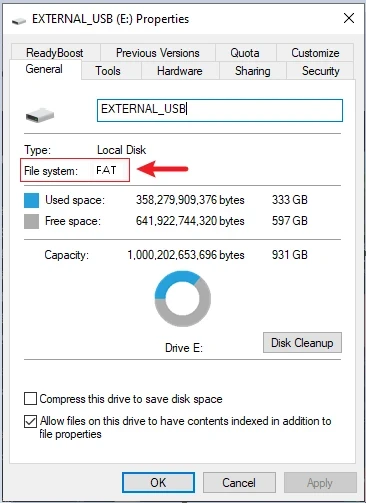
- Right-click on the hard drive > Select "Properties"
- Check the "File system" information in the "General" tab
macOS Check Steps
-
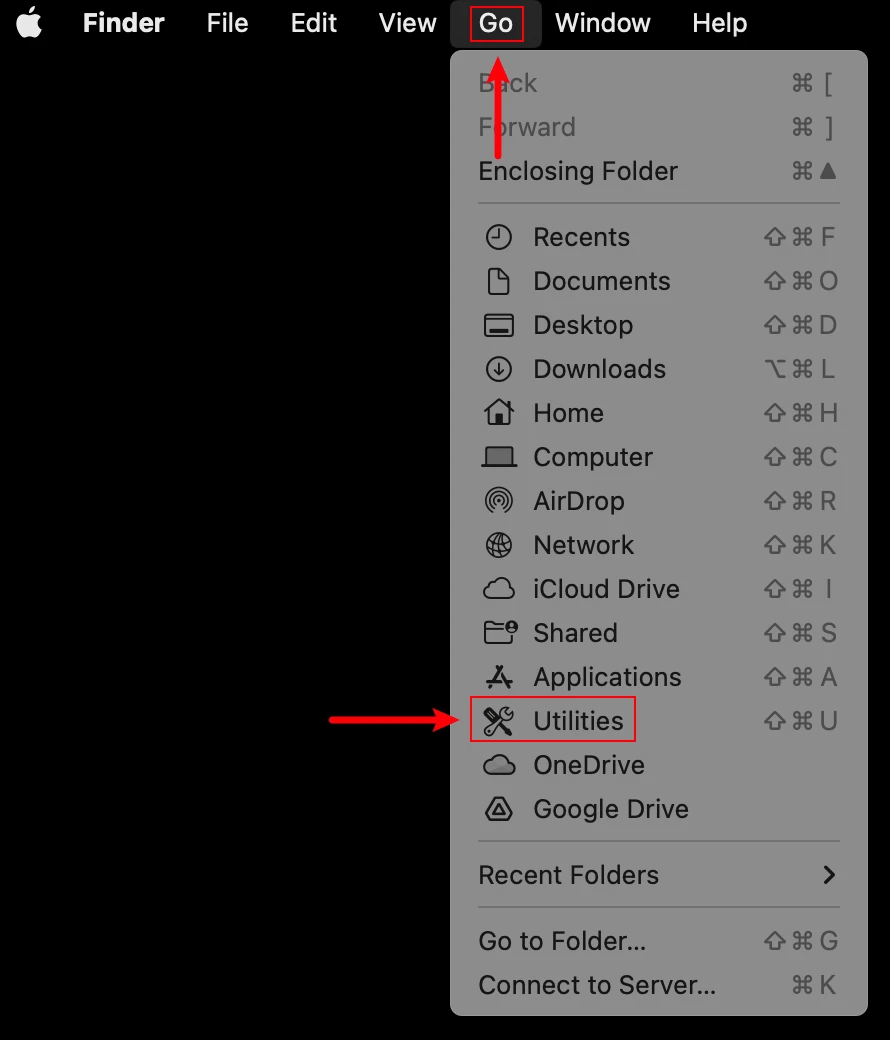
Open Finder, click "Go" in the top menu > "Utilities"
-
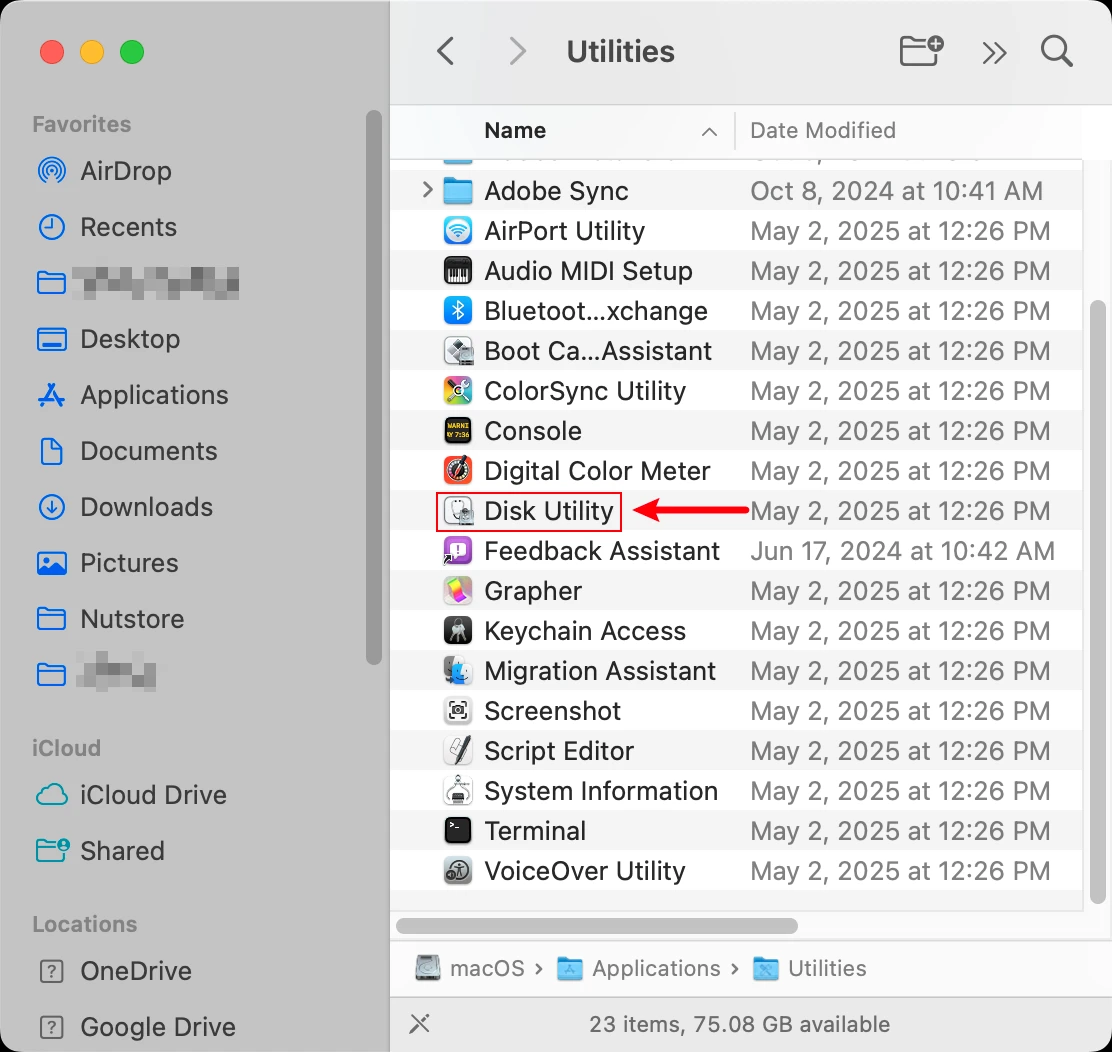
Launch the "Disk Utility" application
-
In the left panel, select your external hard drive
-
In the right information area, you can view detailed information about the hard drive or partition, including its format. This information is usually displayed under the "Format" or "File System" label