
Eagle supports importing Axure source files (.rp) and compressed packages, and allows for management and organization within the software.
Import Support Description
While Eagle can import Axure files, the system currently does not support automatically generating thumbnail previews for these two file formats. This means that in the library, these files may not be directly viewable for their content.
Suggestions for Improving Preview Efficiency
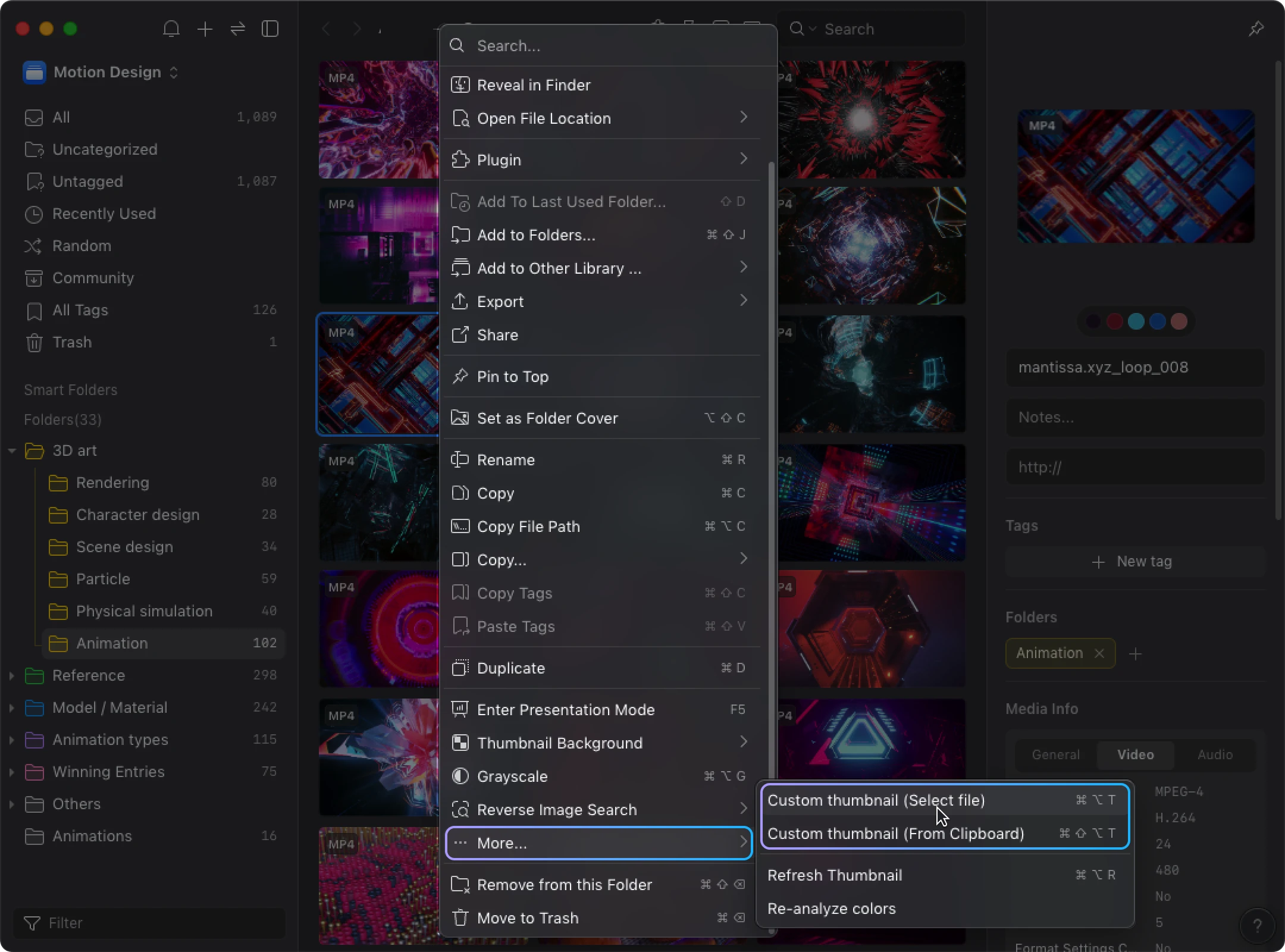
If you need to preview and identify these Axure files more efficiently, we recommend using Eagle's custom thumbnail feature:
- Right-click on the imported Axure file
- Select the "Set Custom Thumbnail" option
- Upload an image that represents the file content as the thumbnail
This way, you can set appropriate preview images for each file as needed, making it easy to quickly identify and access them in the library.
Important Notes
- Eagle only supports importing and managing Axure files, but does not support direct editing or previewing of their content within the software
- For the best experience, it is recommended to set custom thumbnails for all Axure files
- When double-clicking on an Axure file, the system will open the file using the default associated program