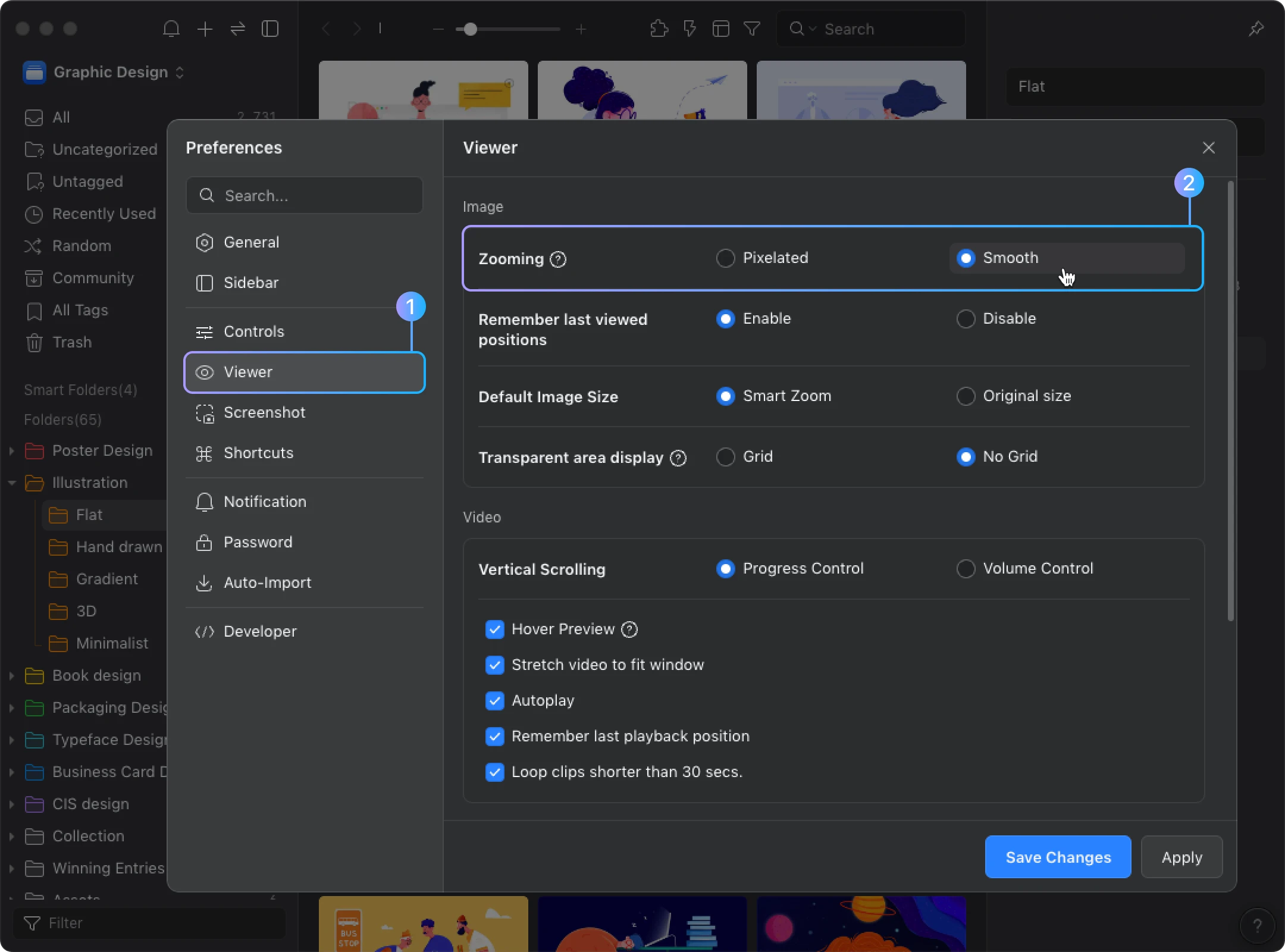
When previewing and zooming images in Eagle, the default is to use the "Smooth" algorithm to provide a fluid and clear experience. If you wish to examine finer pixel details, you can switch to "Pixelated" rendering.

If you would like adjust Zooming, here are the steps to set it up:
- Open Eagle's "Preferences" and select "Viewer" on the left.
- Under the "Image" section on the right, set "Zooming" to either "Pixelated" or "Smooth."
- Apply and save the settings.