The thinking behind Eagle 5
Ten years in, why we chose
to rebuild Eagle
Why would software that has run for nearly ten years need to be rebuilt?
Going from Eagle 4 to Eagle 5, we want to explain the reasons behind that decision,
and what it will change for the people who use Eagle.
“Eagle 4 already works well. Why rewrite it?”
That may be the question Eagle 5 most needs to answer.
We wrote Eagle’s first line of code at the end of 2016, and the first version shipped in the spring of 2017. For nearly ten years since, it has done one thing: help people collect, organize, and find assets again on their own computer. Many features have been refined over years, and the habits around them are well established.
If all we wanted was a few more features, continuing to develop Eagle 4 was clearly the easier choice. We decided instead to rebuild Eagle’s core architecture, redesign how data is managed, and reimplement many features that were already mature.
That decision carries real risk. A rewrite doesn’t automatically make a product better. People don’t care which programming language we switched to or how we store data, and they shouldn’t have to relearn a tool they already know just because the technology changed. So this investment had to buy changes that are actually worth it.
After thinking it over for a long time, we concluded that if Eagle is going to keep growing for another ten years, some problems can no longer be solved just by adding features.
This article is our attempt to explain that decision in full.
01 Starting point
Eagle 4 didn’t get it wrong. We just want to do more
When we first designed Eagle, we wanted to solve a simple problem: let people quickly collect, organize, and find large numbers of assets on their own computer.
So from the start, Eagle was software built around one person using one desktop.
You could keep images, videos, fonts, and all kinds of design files on your own computer, and manage them with folders, tags, ratings, and Smart Folders.
That direction gradually made Eagle a mature asset manager.
But as people’s collections grew, we started running into situations we never planned for.
A simple example: why can’t I open two libraries at once?
Say you keep your personal collection, your company’s assets, and each client’s projects in separate libraries.
You might want to look at your company’s brand assets in one library while searching another for project references.
That is a perfectly reasonable thing to want.
But in Eagle 4, only one library can be open at a time. You have to switch before you can look at another collection.
It isn’t that we didn’t want to add this. Eagle 4 was designed from the beginning around a single desktop app and the current library.
Truly supporting several libraries running at once involves far more than adding another window.
The more assets you have, the more data management shows its limits
Tags are another example.
In Eagle 4, each asset’s information is stored in its own small file inside the library.
We chose that on purpose. Back then, many people synced their library between computers with cloud drives like Dropbox or Google Drive. With information split into small files, changing one asset meant the sync tool only had to transfer that one small file, instead of syncing one large file every time.
For the way people worked then, that was the right answer.
But the same design has a cost. If you have 100,000 assets and 20,000 of them share a tag, renaming that tag means updating 20,000 files.
Search, Smart Folders, and batch edits run into similar problems.
Of course, we could keep optimizing individual operations.
But as data grew and people’s expectations for search and organization became more complex, we came to believe the whole way data is stored and queried needed to be redesigned.
More importantly, Eagle is no longer only about one person organizing assets on one computer.
Some people want to use their collection directly from another computer. Some want to organize with their team. Others want an AI assistant to help with tedious sorting.
These look like different features, but they all run into the same problem:
When several windows, several people, or even AI all need to change the same collection, someone has to keep track of who changed what, who is allowed to change it, and what happens when two changes land at once. That takes one shared set of rules.






Eagle 4’s original design solved the problems of its time. To do what we want to do now, we had to rethink its foundation.
02 The decision
Harder than the rewrite was deciding whether to rewrite
For a product developed over nearly ten years, the easiest thing to underestimate is all the details that have already matured.
How an image zooms, how the mouse selects several assets, how shortcuts respond, how different file formats preview.
None of these are especially worth advertising, but they decide whether someone’s daily work feels smooth.
Once you decide to rewrite, nearly all of them have to be handled again.
And problems that were already solved can reappear in the new implementation.
We had to rebuild the data system, the operation logic, and the permission model, and re-verify a large number of existing features.
That meant spending a lot of development time without necessarily showing people more new features right away.
Judged purely on short-term results, continuing with Eagle 4 might have been the easier path.
We did consider staying with Eagle 4
In fact, we have kept extending Eagle 4 over the past few years.
Through official plugins, for example, Eagle 4 already offers AI Search, AI Action, and Eagle MCP.
That shows the old architecture still has room to grow.
So we never believed Eagle 4 couldn’t be developed further.
The problem was that supporting multiple libraries, multiple devices, multiple users, and AI agents would still mean gradually changing a lot of the underlying design, while keeping the original data format and compatibility in mind for a long time.
Each new way of using Eagle could bring more exceptions to handle.
We certainly could have kept going down that road.
But when more and more new features depend on the same set of underlying changes, we had to ask ourselves:
Instead of modifying the existing architecture again and again, shouldn’t we build the shared foundation first?
In the end, we chose the latter.
That choice has a cost, and it isn’t the right approach for every product.
But for Eagle, we want to be freer to develop new capabilities, instead of every new feature first having to work around architectural limits left from ten years ago.
Rebuilding Eagle 5 is the long-term investment we made toward that goal.
03 The core
What did we actually rebuild this time?
Eagle 5’s most important change is hard to see from the interface alone.
What we redesigned is how Eagle stores data, and how different people and tools work with a library.
A library core that can run on its own
In the past, Eagle was centered on the desktop app.
Eagle 5 separates the core that manages the library, so the interface and data management become two different parts.
Put simply:
The desktop interface lets you view images, browse folders, and search and organize assets.
The core service behind it manages the library, handles searches and changes, checks permissions, and keeps data consistent across different operations.



That means Eagle no longer has to tie every capability to a single desktop program.
In the future, whether it’s a desktop client, a browser, or another authorized tool, each can work with the library through the same core.
We don’t need to build an entirely different data management logic for each kind of device.
Redesigning how data is stored and indexed
Eagle 5 also rebuilt how asset information is stored and queried.
With structured data and indexes, we can handle searching, filtering, changing, and relating large amounts of data more directly.
Work that used to mean updating many separate data files can now be handled with data structures better suited to that kind of operation.
Of course, a new data structure doesn’t make everything faster on its own.
Image decoding, thumbnail generation, and interface rendering still need ongoing optimization.
But at least we are no longer held back by the old way of storing data, and we can work more effectively on each performance bottleneck.
One set of rules for people and tools
Another important change is building identity, permissions, and operation management into the core architecture.
For example, one member might only be able to view a library, while another can edit it.
When external tools or AI agents connect to Eagle in the future, they will also have to act within the permissions they were granted.
That way, no matter which interface an action comes from, changes to the data are governed by the same rules.
These underlying changes may not seem to affect the interface directly, but they are why Eagle 5 can support more ways of working.
There is one thing we need to be clear about here:
Moving to a server architecture doesn’t mean Eagle becomes software that only works when connected to the cloud.
If you use Eagle on your own, the core service can still run directly on your own computer. You don’t need to buy a server.
We want to give Eagle more possibilities, not make simple things complicated.
04 Personal use
Even on a single computer, Eagle 5 should be better to use
We know not every Eagle user needs teamwork, remote access, or AI help organizing images.
Many people just want to collect, find, and use assets quickly on their own computer.
For them, the new architecture means nothing by itself.
What really matters is this: does using Eagle every day actually get better?
That was a very important goal for us in rebuilding Eagle 5.
Managing large libraries more efficiently
In an asset manager, the most-used features are often the simplest ones.
Opening a library, importing images, switching folders, browsing thumbnails, searching, and editing asset information.
Each of these might differ by only a few hundred milliseconds, but repeated a hundred times a day, the difference becomes very noticeable.
So Eagle 5 isn’t only a change in how data is stored. We also re-examined the performance of many everyday operations.
We want people to be able to browse, search, and organize quickly even with very large collections.
Asset formats, hardware, and library size still affect actual speed. But the new architecture gives us more room to optimize and to keep improving what really affects the experience.
Several libraries open at once
This is a simple need that the old architecture held back for a long time.
In Eagle 5, different libraries can each run in their own window.
For example, one window shows your brand assets while another shows project references.
You don’t have to close the library you’re using just to find an image in another one.
For people managing several clients, projects, or kinds of collections, this lets work that used to be interrupted flow naturally.
Letting assets record more useful information
Besides folders, tags, and notes, Eagle 5 adds custom fields.
For example, you can record an asset’s project, work status, usage restrictions, or other conditions.
That information no longer has to be squeezed into file names or notes, and it becomes easier to filter and organize by later.
We don’t want people to spend more time filling in data for every image.
We want information that already needs to be recorded to have a better place to live.











Finding assets even when you forget how you sorted them
This is a core experience we want to keep improving.
Often you clearly remember saving an image, but forget which folder it’s in or which tags you used.
You might only remember how it looked.
A dark-mode interface screenshot, a button with a glass texture, or a particular composition.
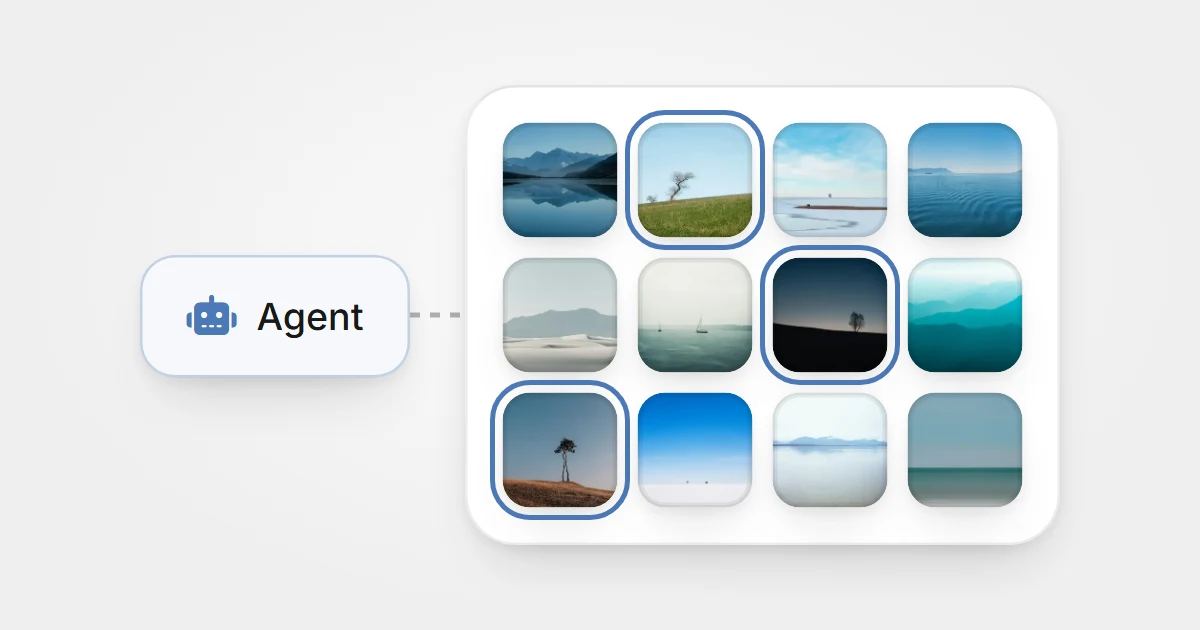
Eagle 5 builds on-device AI analysis into the product, so you can find assets by what’s in the image, the text in it, its colors, and similar visual features, without relying entirely on categories you set up in advance.
We want traditional organization and the new search capabilities to complement each other.
When you know exactly what you’re looking for, you can use folders, tags, and filtered search.
When you only have a vague impression, there should be other ways to find it.
After all, the point of Eagle isn’t to categorize every image perfectly. It’s to find it as quickly as possible when you need it.
05 Devices and teams
From one computer to more people using the same library
Beyond improving personal use, we also want Eagle to stop being limited to a single person on a single computer.
Say you have a design library at your studio that you’ve built up over years.
After work, you want to keep looking through it from your laptop at home.
Or you want colleagues to use its references too, adding tags or more information to assets.
In the past, you might have synced the library through Dropbox or another cloud drive, so every computer kept its own copy. Eagle 4 split asset information into small files precisely so that this kind of syncing would work smoothly.
But syncing copies and several people using the same data are different problems.
When different devices change data at the same time, conflicts can happen. When several members organize assets together, there need to be clear permissions and rules for changes.
Eagle 5 changes how this works.
You can choose one computer to manage the library, and other devices connect to it over the network to use the same data directly.
That means different devices no longer need to keep their own copy of the library waiting to sync.
You can also set member permissions as needed, deciding who can view and who can edit.
That gives Eagle a chance to grow from a personal asset manager into a visual library a team shares.




Of course, this approach has trade-offs.
When you need to connect from other devices, the host managing the library has to stay running. Access from outside your network also needs proper setup.
This is different from syncing copies through a cloud drive, and it isn’t right for everyone.
But for people who want to share the same data directly and avoid conflicts between copies, it offers another option.
What matters is that however the way you work changes, your data stays in your hands.
Eagle 5 doesn’t require you to upload your collection to our cloud service. Assets can keep their original file formats, and you can get them back through export.
We have always believed that a collection someone spent years building shouldn’t lose its freedom because an online service changes how it operates.
06 AI
When AI starts helping with work, a chat feature isn’t enough
Advances in AI showed us another possible way to use Eagle.
In the past, Eagle’s main job was to help you collect, organize, and search assets yourself.
But now AI can understand image content, look up information, and even operate other software.
So could it also help manage your library?
Say you’re studying the interface design of thirty apps and have saved hundreds of screenshots from them.
You want to group the screenshots by app and set up suitable categories for each group.
In the past, you had to look, identify, select, and organize them yourself.
In the future, you can have an AI agent analyze the batch first, then propose an organization plan based on what you asked for.
But the hard part here isn’t getting AI to recognize images.
It’s getting AI to complete the work reliably inside your library.
If an agent is going to move hundreds of assets, change tags, or even delete data, the system has to know exactly what it is allowed to do, and whether those changes need your confirmation.
That is one of the important reasons we redesigned identity, permissions, and operations in Eagle 5.
The change-proposal mechanism we are designing extends this direction.
An agent can first put together the changes it plans to make, let you review the result, and then you decide whether to accept it.








This proposal flow is still being designed, but it reflects an important view we hold about AI:
Letting AI handle tedious work doesn’t mean you have to give up control.
AI also isn’t the only reason we rewrote Eagle 5. As mentioned earlier, Eagle 4 can already use AI features through official plugins.
The difference in Eagle 5 is that these capabilities can be built directly into the product’s core, following the same rules as member permissions and data operations.
We don’t want to just add an AI chat window to Eagle.
We want AI to genuinely understand and help with your collection, while every important action can be managed and confirmed.
07 Using your collection
We want Eagle to help you use your collection, not just keep it
While rethinking Eagle’s future, we also asked ourselves another question:
Why do people need to collect so many assets?
The answer is simple.
Because we believe these things will be useful someday.
A designer saves interface screenshots to study how different products are designed.
A photographer keeps photos because they like the light or the composition.
You might save a poster simply because its layout gave you an idea.
What makes these assets valuable isn’t only the files themselves.
It’s why you chose to keep them, and how they might help you in the future.





For nearly ten years, Eagle has focused on collecting, organizing, searching, and browsing.
We think those things still matter a great deal, and we’ll keep improving them.
But we’ve also found there is often still a gap between finding an asset and actually using it.
You might need to lay out dozens of images side by side before deciding on a design direction.
You might want to write notes next to an image about which details you like.
And in the end, you still need to turn those references into a proposal that helps others understand your thinking.
So in Eagle 5’s long-term plans, we’ve started exploring how assets can move more naturally into the next stage of work.
The canvas, now in development, is meant to let you freely arrange, group, and compare images.
Pages (Page/Document), still being planned, are meant to bring assets, text, notes, and conclusions together in one piece of content.


These features are at different stages of development, and that doesn’t mean they will all ship in Eagle 5’s first release.
We also don’t intend for Eagle to replace Photoshop, Figma, or other professional creative tools.
What we really want to improve is the connection between collecting, researching, organizing, and creating.
Especially now that AI can generate large amounts of content quickly, we believe the choices and judgment a person builds up over time matter even more.
Because what you collect was never just an image from somewhere on the web.
It also holds what you noticed, preferred, and were inspired by at the time.
We want Eagle to make what you’ve accumulated easier to rediscover, and easier to turn into the starting point for your next piece of work.
08 The cost
Rebuilding Eagle also means accepting a cost
We don’t want to describe Eagle 5 as an update that only has upsides.
Redeveloping the whole core means many mature features have to be reimplemented.
The experience Eagle 4 built up over years also has to be re-examined and re-verified.
That work matters as much as building new features.
Because we know people don’t like Eagle for how much impressive technology it has.
They like it because it makes tedious things simple.
Folders, tags, Smart Folders, ratings, quick preview, and all the familiar ways of working are product experience built up over many years.



In the rewrite, we want to keep the designs that have proven their value, while fixing problems that were hard to solve before.
The new core comes with documentation and tests from the start, so more people on the team can understand and maintain it, and fixes and new features can land faster and more reliably.
Some ways of working do have to change
Because the data architecture is different, Eagle 4 libraries need to be converted before they can move to Eagle 5.






Existing plugins aren’t directly compatible either. Eagle 5 will use a new plugin system, with its release timing announced separately.
Working across devices changes too, and some features will be redesigned or no longer offered.
These are things anyone should understand clearly before deciding to upgrade.
That’s why we will keep collecting the feature differences, data migration, and compatibility limits in the Eagle 5 upgrade guide.
If the way you use Eagle 4 is already stable, you don’t need to change your workflow right away for a new version.
We want people to choose the upgrade timing that fits what they actually need.
Why we decided to let existing users upgrade for free
This rebuild took a great deal of time and money.
For us, Eagle 5 isn’t a simple feature update. It’s an entirely new foundation for the product.
But while deciding how upgrades would work, we also thought again about the relationship between Eagle and the people who have used it for years.
Over nearly ten years, many people have used Eagle since its early versions.
They spent years building up their images, design assets, research, and personal collections in Eagle.
Some have even made Eagle an essential part of their daily work.
That long-term support is a big reason Eagle has been able to keep growing.
In the end, we decided:
If you’ve bought Eagle, whichever version it was, you can upgrade to Eagle 5 for free. You don’t need to buy it again.
Eagle has always been a one-time purchase with no subscription, and Eagle 5 is the same.
We know a free upgrade doesn’t mean you won’t have to adjust to a new version.
But at least when it comes to licensing, we want everyone who has supported Eagle over the years to be able to move into this new stage together.
Closing
For the next ten years, we want to keep solving the same problem
Looking back, what Eagle set out to do was simple.
The web is full of images, designs, and ideas worth keeping.
We wanted people to be able to save them easily, organize them into their own library, and find them quickly when they need them.
Nearly ten years later, that goal hasn’t changed.
What has changed is the number of assets, the way people work, and the technology we can use now.
Before, we mainly thought about how to help one person manage a collection more efficiently on their own computer.
Now we’re thinking about how collections can be used across devices, how teams and AI can help organize them, and how assets can move more easily into real work.
Those new possibilities are why we decided to rebuild Eagle.
But through all these changes, one thing has stayed the same.
We want what you take the time to collect today to still be worth keeping many years from now.
Not just so you can find those files.
But so that when you see them again, you still remember why you liked them, why you saved them, and what they might bring to your next piece of work.
Ten years ago, we started building Eagle to make collecting and managing assets simpler.
Ten years later, we’re still doing the same thing.
This time, we want the collections you’ve built over the years to be worth even more in the future.
That is why we decided to rebuild Eagle 5.
Before you upgrade, start with the upgrade guide. It covers what’s new in Eagle 5, how it differs from Eagle 4, how to move your library, and how to upgrade for free.
FAQ
More questions about rebuilding Eagle 5
Why rebuild Eagle 5 instead of adding more features to Eagle 4?
It can, and that’s what we did for the past several years. But multiple libraries, access across devices, teams working together, and AI carrying out tasks within its permissions all depend on the same foundation for data management and permissions. Rather than reworking the old architecture each time we add a new way of working, we chose to build that shared foundation first, and to accept the costs of migration and compatibility.
Does an independent core mean I need to buy a separate host computer?
No. For personal use, the library service and Eagle’s desktop interface can run on the same computer. You only need to arrange a host that stays on during use when other devices or members connect to the same library; Eagle must also stay running on that host. See the self-hosting guide for connection requirements and supported platforms.
Will Eagle 5 become a cloud service that locks my files inside Eagle?
Separating the core from the interface does not require moving your library to Eagle’s cloud. Eagle’s direction remains to keep the library on a computer you choose, preserve assets in their original formats, and let you export them as regular files. That is separate from the library’s data format: being able to export assets does not mean V4 and V5 can open each other’s libraries directly. How remote connections and external agents handle data also needs to be checked separately. Read about your storage and export choices.
Does rebuilding Eagle 5 mean maintenance of Eagle 4 has ended?
Choosing a new core for Eagle 5 is not an announcement that maintenance of Eagle 4 has ended. In the August 2026 development update, the team said V4 was still being maintained at that time. This article sets no new support deadline and does not replace later official maintenance announcements.